

The software development landscape has fundamentally transformed in recent years, with artificial intelligence now playing an essential role in how developers write, debug, and optimize code. Finding the best AI chatbot for coding is no longer a luxury—it’s becoming a competitive necessity. Developers worldwide are integrating AI-powered coding assistants into their daily workflows to accelerate project delivery, reduce manual work, and write more efficient code. This comprehensive guide examines the leading AI chatbots specifically designed for coding tasks, comparing their capabilities, pricing models, and real-world performance metrics to help you choose the tool that best fits your development needs.
Understanding AI Coding Chatbots and Their Impact on Development
What Makes a Great AI Coding Chatbot?
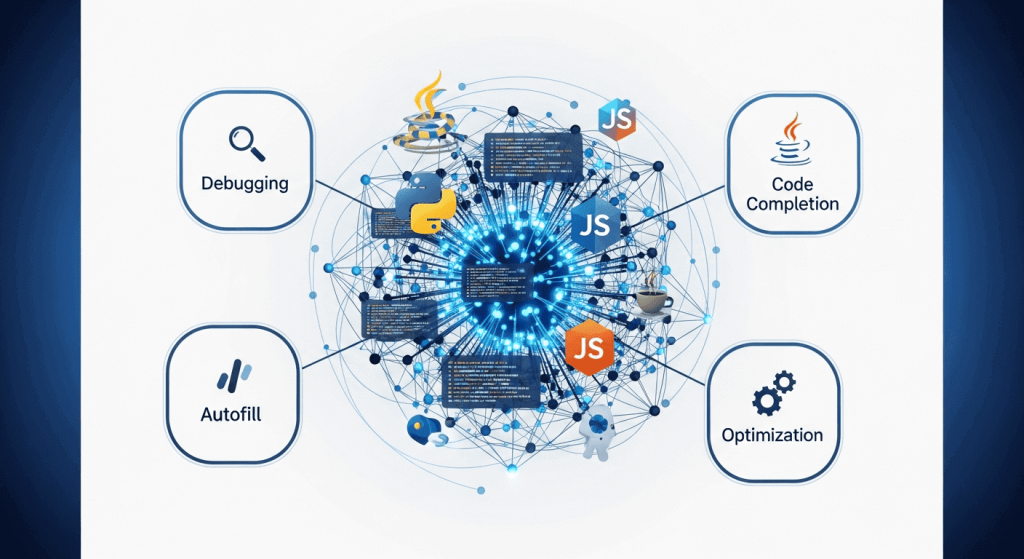
An effective AI chatbot for coding goes far beyond simple autocompletion. The best tools combine several critical capabilities: context-aware code understanding, support for multiple programming languages, intelligent debugging assistance, seamless IDE integration, and the ability to explain complex code concepts. Modern AI coding chatbots leverage large language models trained on millions of lines of code, allowing them to predict what developers need before they finish typing.
The impact has been measurable and substantial. According to recent development surveys, 41% of all code written globally is now AI-generated or AI-assisted, marking a dramatic shift in how software gets built. Developers using AI coding assistants report completing 126% more projects per week compared to manual coders, while also writing 12-15% more code with a reported 21% rise in productivity.
Current Adoption Trends
The adoption curve for AI coding tools has been steep. As of 2025, 76% of professional developers actively use AI coding tools or plan to adopt them soon, with 82% of developers using these tools daily or weekly. Full-stack developers lead adoption at 32.1%, followed by frontend developers at 22.1%, while younger developers aged 18-34 are twice as likely to use AI coding assistants compared to older developers.
Interestingly, while many developers report positive experiences, the relationship between perceived speed and actual productivity gains presents a complex picture worth understanding before choosing your tool.
Top AI Chatbots for Coding: Feature Comparison
ChatGPT (OpenAI)
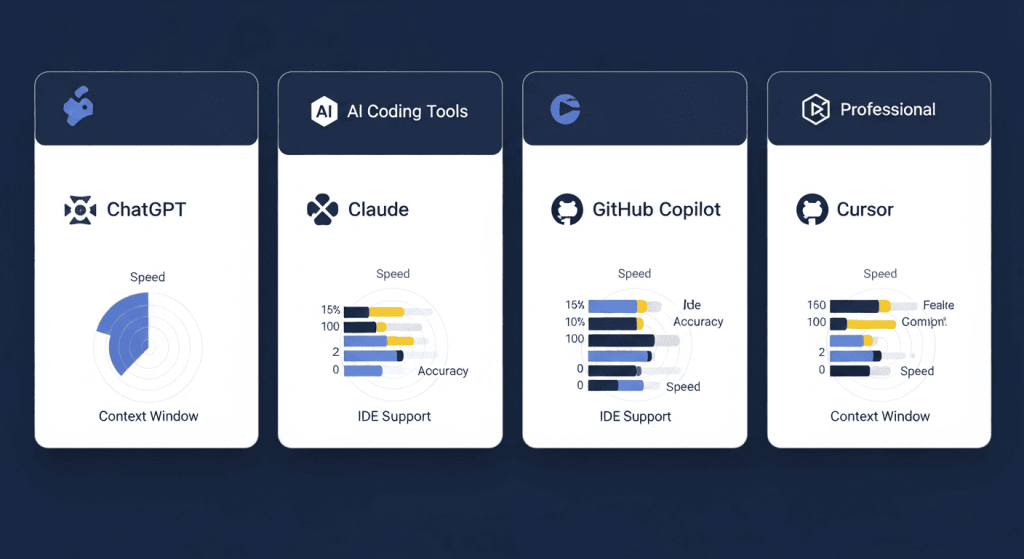
ChatGPT remains one of the most versatile AI chatbots for coding tasks. Powered by advanced language models including GPT-4 and newer iterations, ChatGPT excels at end-to-end coding through conversational chat, offering clear explanations and step-by-step guidance for developers at all skill levels.
Strengths: ChatGPT provides structured code generation with excellent documentation and explanations of how and where to use the code. It helps clarify doubts and teaches best practices effectively. The tool supports creative problem-solving and can assist with planning complex systems before implementation.
Best For: ChatGPT works best for planning, learning, and detailed explanations. It’s particularly valuable for junior developers who benefit from the educational approach to problem-solving.
Limitations: While capable, ChatGPT sometimes struggles with very large codebases and complex multi-file contexts compared to specialized tools.
Claude (Anthropic)
Claude has earned recognition as the top-performing AI chatbot specifically for coding tasks. Recent head-to-head comparisons show Claude outperforming competitors in code generation quality, reaching 62.3% accuracy on complex coding benchmarks compared to GPT-4.1’s 54.6%.
Key Advantages: Claude boasts a massive context window up to 1 million tokens, allowing it to handle large projects with deep understanding of framework-specific conventions like JUnit, MockK, and Espresso. The extended context window proves particularly valuable for analyzing long documents, managing evolving architectural decisions, and working with multi-file integration tests.
Coding Performance: Claude excels at architectural planning, algorithm design, and identifying systemic bugs. The model demonstrates superior debugging capabilities in large systems by analyzing broader codebase context to spot root causes and potential ripple effects of changes.
Best For: Large-scale applications, refactoring legacy systems, backend engineering, and teams requiring clarity and consistency across complex codebases.
Security Awareness: Claude shows notably better security awareness, more likely to flag vulnerabilities and propose security-conscious solutions—making it suitable for high-stakes or regulated environments.
GitHub Copilot (Microsoft & OpenAI)
GitHub Copilot remains the most famous AI pair-programmer, seamlessly integrating into VS Code, Visual Studio, JetBrains, and other IDEs. Powered by GPT-4 models trained on GitHub’s massive code corpus, Copilot offers real-time code suggestions and an interactive chat assistant.
Current Pricing Structure (2025):
- Copilot Free: $0/month (2,000 completions/month, 50 premium requests)
- Copilot Pro: $10/month (unlimited completions, 300 premium requests)
- Copilot Pro+: $39/month (1,500 premium requests, access to newest models)
- Copilot Business: $19/user/month (organizational features, IP indemnity)
- Copilot Enterprise: $39/user/month (advanced controls, custom models)
Real-Time Integration: GitHub Copilot shines at speeding up coding by offering smart autocomplete suggestions directly within your IDE. It excels at assisting with code generation, completion, suggestion, documentation, and productivity tasks. The inline code suggestions complement IDE workflows beautifully for developers who prefer staying within their editor.
IDE Support: Deep integration with VS Code, JetBrains, and Visual Studio ensures Copilot works seamlessly across popular development environments.
Emerging Specialized AI IDEs: Cursor and Windsurf
Cursor: Speed and Solo Development
Cursor has emerged as a powerful alternative, marketed as “a better IDE with Copilot built in.” Built on VS Code architecture, Cursor offers fast prototyping with intelligent code generation and seamless GitHub synchronization.
Ideal Scenarios: Cursor excels for solo developers prioritizing speed, local context, and quick iterations within focused project scopes. The tool provides fast autocomplete, inline edits, and refactoring capabilities ideal for making isolated changes like API patches or configuration updates.
Pricing: $20/month for individual developers
Trade-offs: While Cursor delivers exceptional speed for single-file changes, it sometimes lacks strong cross-module context awareness compared to larger codebases, making it better suited for smaller projects or rapid prototyping.
Windsurf: Enterprise-Scale Development
Windsurf represents a newer generation of AI IDEs specifically engineered for large-scale, enterprise development. It supports 40+ IDEs including JetBrains, Vim, Neovim, and Xcode, providing exceptional flexibility across diverse development environments.
Enterprise Advantages: Windsurf delivers significant advantages through proprietary innovations like Fast Context (10x faster code retrieval) and SWE-1.5 models (13x faster inference). The platform includes visual Codemaps for understanding complex projects and advanced security features for enterprise requirements.
Best For: Large teams working with complex monorepos, microservices architectures, or projects with extensive legacy code requiring deep cross-module consistency and advanced team collaboration features.
Pricing: $15/month (more affordable than Cursor while offering enterprise features)
How to Choose the Best AI Chatbot for Your Coding Needs
For Beginners and Learning:
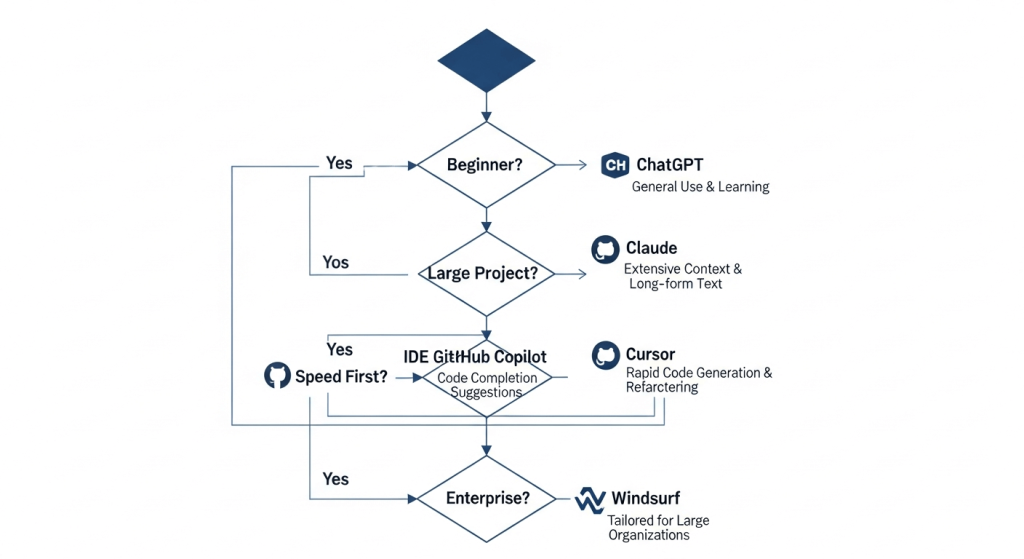
Start with ChatGPT. Its conversational approach, clear explanations, and educational focus make it perfect for learning programming concepts while getting code assistance. The free tier ($0) lets you explore before committing financially.
For Complex, Large-Scale Projects:
Claude is the superior choice. Its extended context window, reasoning capabilities, and deep code understanding excel at handling large repositories, architectural decisions, and complex debugging scenarios requiring deep analysis across multiple files.
For IDE-Integrated Workflow:
GitHub Copilot remains unbeatable for developers who want real-time suggestions without leaving their editor. The integration is seamless, making it ideal for developers in VS Code or JetBrains environments who want conversational assistance alongside traditional autocomplete.
For Enterprise Teams:
Windsurf provides the best combination of advanced features, multi-IDE support, team collaboration tools, and enterprise security controls. The Fast Context and Codemaps features significantly improve productivity for teams navigating large, interconnected systems.
For Solo Developers Prioritizing Speed:
Cursor delivers the fastest iteration cycles and smooth local context understanding. If you’re building MVPs, automations, or hobby projects where rapid prototyping matters more than deep architectural understanding, Cursor’s speed advantage is compelling.
Critical Considerations: Security, Accuracy, and Quality
Security Vulnerabilities in AI-Generated Code
A crucial reality for developers: 48% of AI-generated code contains potential security vulnerabilities, highlighting the ongoing need for human review and quality assurance. Never treat AI-generated code as production-ready without security audits, code reviews, and testing.
The Productivity Paradox
While developers report feeling more productive with AI assistance, research reveals a nuanced picture. Recent studies show that while experienced developers estimate AI reduced completion time by 20%, actual measurements indicate AI increased completion time by 19%. This productivity paradox suggests that AI feels faster due to how it engages the brain’s reward systems, but measurable gains often prove marginal for experienced developers.
Best Practices for Using AI Coding Chatbots:
- Use AI for scaffolding, boilerplate generation, and quick prototypes rather than complex business logic
- Always review and test AI-generated code thoroughly
- Combine multiple AI tools for different tasks (59% of developers use three or more AI tools in parallel)
- Leverage AI most effectively for smaller code chunks rather than entire applications
- Apply critical thinking to security-sensitive code regardless of AI assistance
Pricing Comparison and Cost-Effectiveness
| Tool | Free Tier | Paid Starting Price | Best Value For |
|---|---|---|---|
| ChatGPT | Yes (limited) | $20/month (Plus) | Learning & explanations |
| Claude | Claude.ai (limited) | $20/month (Claude Pro) | Large projects & reasoning |
| GitHub Copilot | Yes (limited) | $10/month (Pro) | IDE integration & daily coding |
| Cursor | 2-week trial | $20/month | Speed & rapid prototyping |
| Windsurf | 14-day trial | $15/month | Enterprise teams & large codebases |
Cost Analysis: For budget-conscious developers, GitHub Copilot Free or ChatGPT’s free tier provide solid starting points. For professional development, GitHub Copilot Pro at $10/month or Windsurf at $15/month offer strong ROI when considering time savings on repetitive tasks.
Real-World Performance Metrics and Use Cases
Productivity Impact:
- Developers save 30-75% of time on coding, debugging, and documentation tasks
- Teams with AI adoption complete 26% more tasks on average
- GitHub Copilot users generate 126% more projects per week than manual coders
Code Generation Quality:
The AI code generation market was valued at $4.91 billion in 2024 and is projected to reach $30.1 billion by 2032, growing at a 27.1% compound annual growth rate. This explosive growth reflects genuine value creation, despite the security concerns requiring developer oversight.
Adoption by Developer Type:
- Full-stack developers: 32.1% adoption (leading segment)
- Frontend developers: 22.1% adoption
- Backend developers: 8.9% adoption
Frequently Asked Questions
Q: Is AI-generated code ready for production?
A: AI-generated code requires thorough testing, security review, and quality assurance before deployment. While suitable for prototyping and scaffolding, production code demands human expertise and validation.
Q: Which AI chatbot is best for beginners?
A: ChatGPT offers the most educational approach with clear explanations. For IDE integration, GitHub Copilot Free provides excellent learning opportunities. Start free, experiment, then upgrade based on your needs.
Q: Can I use these tools for proprietary code?
A: Most tools offer privacy options. GitHub Copilot Business and Enterprise include data exclusion policies. Claude and ChatGPT Pro offer privacy settings. Review privacy policies carefully if handling sensitive code.
Q: Do AI chatbots replace software engineers?
A: No. AI chatbots amplify developer productivity but cannot replace human judgment, architecture decisions, security review, and problem-solving. They’re best viewed as collaborative tools.
Q: How often should I review AI-generated code?
A: Always review AI code before committing. At minimum, perform security review, test coverage verification, and architectural alignment checks.
Q: Which tool handles legacy code refactoring best?
A: Claude excels at understanding and refactoring large legacy systems due to its extended context window and superior reasoning capabilities for complex architectural changes.
Q: Are there free options for professional development?
A: Yes. GitHub Copilot Free (2,000 completions/month), ChatGPT free tier, and Claude’s free access provide legitimate starting points for professional work, though paid tiers offer better value for intensive use.
Conclusion: Making Your Decision
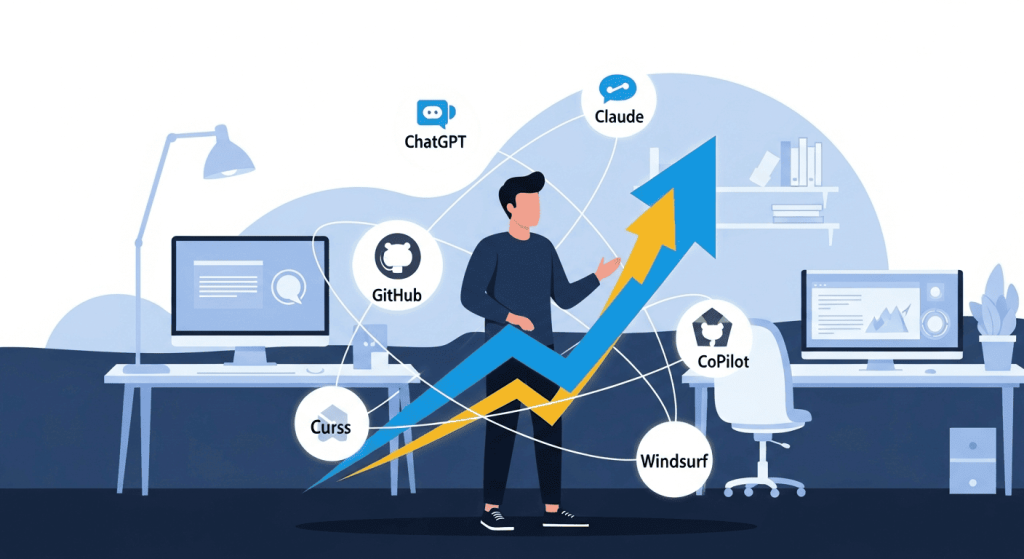
Selecting the best AI chatbot for coding depends fundamentally on your specific needs, project complexity, and development style. ChatGPT excels for learning and explanations. Claude dominates for large-scale, complex projects requiring deep reasoning. GitHub Copilot remains unbeatable for seamless IDE integration and daily coding workflows. Cursor delivers unmatched speed for rapid prototyping. Windsurf provides enterprise-scale capabilities with team collaboration.
The most effective approach: Start with your IDE preference and budget, then evaluate tools through their free tiers. The majority of developers (59%) use multiple AI tools simultaneously, so you’re not limited to choosing just one. As AI coding assistants continue evolving, the question isn’t whether to adopt these tools—it’s which combination best amplifies your development capabilities while maintaining code quality and security standards. Experiment with free tiers, measure your actual productivity gains, and invest in the tools that demonstrably improve your workflow.